Feedback
What a report can carry, how screenshots are uploaded, and what happens when a workspace reaches its monthly allowance.
PanelUI components are native-only for now
Everything on this page works on the web through the SDK. The PanelUI components the App version uses — Feedback, Rating and Checkbox — are React Native components and don't run in a browser yet, so on the web you build the form with your own components. A form on the web is a complete one.
A report is one call. Everything but message is optional.
const { feedback, warnings } = await studio.feedback.submit({
  message: 'Checkout spins forever on the last step.',
  rating: 2,
  tags: ['Bug', 'Checkout'],
  screen: '/checkout/confirm',
  appVersion: '2.4.1',
  build: '241',
  metadata: { cartSize: 3, plan: 'gold' },
});| Field | What it's for |
|---|---|
message | What the user wrote. 1–5,000 characters. |
rating | 1–5, when you ask for one. Ratings of 2 or lower are flagged in the inbox. |
tags | Up to 5. Unknown tags are created, up to 100 per project. |
screen | Where the user was. A route works well. |
appVersion, build | Filled from the device when left out. |
metadata | Your own context, as a JSON object. Pro and Max. |
fields | Answers to the project's custom form. Pro and Max. |
attachmentIds | Screenshots, from uploads.screenshot(). |
country | ISO-3166 alpha-2, when your app knows it better than the device locale. |
The device context — platform, OS, model, locale — comes from the device and doesn't need passing.
The device context — platform, OS and its version, browser, locale — comes from
the browser and doesn't need passing. A browser has no app version, so pass
appVersion yourself, here or once as device.appVersion when you create the
client.
Warnings
A report that is accepted with something left out resolves normally and says so
in warnings. Each entry starts with a code:
| Warning | Meaning |
|---|---|
metadata_ignored | The workspace is on Free, so metadata was dropped. |
fields_ignored | The workspace is on Free, or some answers aren't on the form. |
tags_dropped | The project already has 100 tags, so the new names weren't created. |
over_quota | The workspace is past this month's allowance. The report was still saved. |
Warnings are for you, not your users. Log them; don't show them.
Screenshots
Uploading is its own step, so a slow upload never holds up the report:
const attachmentId = await studio.uploads.screenshot({ uri: capture.uri });

await studio.feedback.submit({
  message: 'The chart overlaps the legend.',
  attachmentIds: [attachmentId],
});
uri is a local file — a file://… URI or, from panelui-studio 0.2.1, a
bare path, which is what react-native-view-shot returns on iOS — or anything
fetch can read.
const file = input.files?.[0]; // from <input type="file">
const attachmentId = await studio.uploads.screenshot({ file });

await studio.feedback.submit({
  message: 'The chart overlaps the legend.',
  attachmentIds: [attachmentId],
});
file is the image itself: a File from a file input, a pasted or dropped
image, or any Blob. Its own type is used, and anything other than an image is
refused before an upload starts. A uri works too, for an image fetch can
read.
PNG, JPEG or WebP, up to 5 MB. The bytes go straight to private storage; Studio only ever shows them to your team through links that expire within minutes.
Each plan allows a number of screenshots per report — 1 on Free, 3 on Pro and
Max — and a total amount of storage across the workspace. Once storage is full,
uploads.screenshot() fails with storage_full and reports still go through
without images.
Monthly allowance
Reports count against the workspace's allowance for the calendar month (UTC). Going over doesn't lose anything your users send:
- Free: reports past the allowance are saved but held out of the inbox until the workspace upgrades.
- Pro and Max: reports keep arriving for another 20%, and the workspace's owners get an email.
Past that, submit() fails with quota_exceeded until the next month or an
upgrade.
Rate limits are separate and the same on every plan: 5 reports a minute and 50
a day per install. A limited call fails with rate_limited and carries
retryAfter in seconds.
Handling errors
Every failure is a StudioError with a stable code. Branch on the code, never
on the message:
import { isStudioError } from 'panelui-studio';

try {
  await studio.feedback.submit({ message });
} catch (error) {
  if (isStudioError(error) && error.code === 'rate_limited') {
    showToast(`Try again in ${error.retryAfter ?? 60} seconds.`);
  } else {
    showToast("Couldn't send that. Check your connection and try again.");
  }
}
The full list is in the API reference.
A form on the web
A message, an optional screenshot and the states in between, in plain React.
screen is the page the reader was on:
'use client';

import { useState } from 'react';
import { isStudioError } from 'panelui-studio';

import { studio } from '@/lib/studio';

export function FeedbackForm({ onSent }: { onSent?: () => void }) {
  const [status, setStatus] = useState<'idle' | 'sending' | 'sent'>('idle');
  const [error, setError] = useState<string | null>(null);

  async function send(event: React.FormEvent<HTMLFormElement>) {
    event.preventDefault();
    const form = new FormData(event.currentTarget);
    const shot = form.get('screenshot');
    setStatus('sending');
    setError(null);
    try {
      const attachmentIds =
        shot instanceof File && shot.size > 0 ? [await studio.uploads.screenshot({ file: shot })] : [];
      await studio.feedback.submit({
        message: String(form.get('message')),
        screen: window.location.pathname,
        attachmentIds,
      });
      setStatus('sent');
      onSent?.();
    } catch (caught) {
      setStatus('idle');
      setError(isStudioError(caught) ? caught.message : "Couldn't send that. Check your connection.");
    }
  }

  if (status === 'sent') return <p>Thanks — we read every one.</p>;

  return (
    <form onSubmit={send}>
      <label htmlFor="feedback-message">What should we fix first?</label>
      <textarea id="feedback-message" name="message" required maxLength={5000} />
      <label htmlFor="feedback-screenshot">Screenshot (optional)</label>
      <input id="feedback-screenshot" name="screenshot" type="file" accept="image/png,image/jpeg,image/webp" />
      {error ? <p role="alert">{error}</p> : null}
      <button type="submit" disabled={status === 'sending'}>
        {status === 'sending' ? 'Sending…' : 'Send feedback'}
      </button>
    </form>
  );
}
Style it with your own components; the SDK only needs the message and the file.
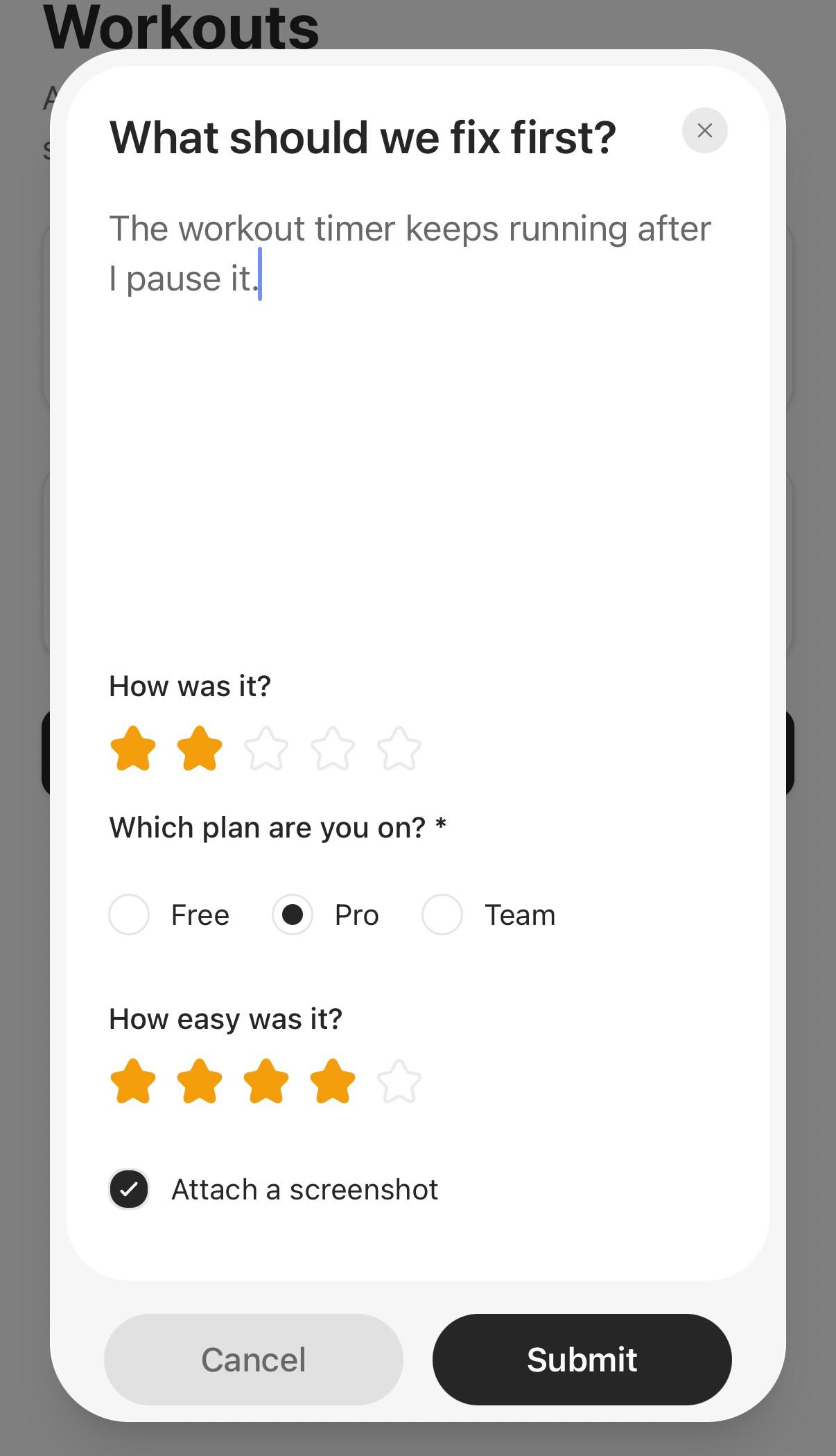
Usage with PanelUI
submit works from any UI. If your app uses PanelUI, its
Feedback dialog collects the message;
a Rating and a Checkbox
sit in its panel for the rest. On submit, capture the screen behind the dialog,
upload it, then send the report:
import { useState, type RefObject } from 'react';
import { View } from 'react-native';
import { captureRef } from 'react-native-view-shot';
import { Button, Checkbox, Feedback, Rating, Text, useToast } from 'panelui-native';
import { isStudioError } from 'panelui-studio';

import { studio } from '@/lib/studio';

export function FeedbackButton({ screenRef }: { screenRef: RefObject<View | null> }) {
  const { toast } = useToast();
  const [open, setOpen] = useState(false);
  const [rating, setRating] = useState(0);
  const [attach, setAttach] = useState(true);
  const [error, setError] = useState<string | null>(null);

  async function send(message: string) {
    setError(null);
    try {
      const attachmentIds: string[] = [];
      if (attach) {
        const uri = await captureRef(screenRef, { format: 'png', result: 'tmpfile' });
        attachmentIds.push(await studio.uploads.screenshot({ uri }));
      }

      const { feedback } = await studio.feedback.submit({
        message,
        rating: rating || undefined,
        screen: '/workouts',
        attachmentIds,
      });

      setOpen(false);
      setRating(0);
      toast.show({ variant: 'success', label: `Sent as #${feedback.number}` });
    } catch (caught) {
      // Shown in the dialog: a toast would sit underneath it.
      setError(isStudioError(caught) ? caught.message : "Couldn't send that. Check your connection.");
    }
  }

  return (
    <>
      <Button onPress={() => setOpen(true)}>Send feedback</Button>
      <Feedback open={open} onOpenChange={setOpen}>
        <Feedback.Content>
          <Feedback.Panel>
            <Feedback.Title>What should we fix first?</Feedback.Title>
            <Feedback.Close />
            <Feedback.Field placeholder="Tell us what got in your way" />
            <View className="gap-4 pt-2">
              <Rating label="How was it?" value={rating} onValueChange={setRating} />
              <Checkbox label="Attach a screenshot" checked={attach} onCheckedChange={setAttach} />
              {error ? (
                <Text size="sm" className="text-destructive">
                  {error}
                </Text>
              ) : null}
            </View>
          </Feedback.Panel>
          <Feedback.Footer>
            <Feedback.Cancel />
            <Feedback.Submit onSubmit={send} />
          </Feedback.Footer>
        </Feedback.Content>
      </Feedback>
    </>
  );
}
screenRef is the screen being reported on — pass a ref to its root View,
with collapsable={false} so Android keeps it to capture. The dialog renders in
PanelUI's overlay layer, outside that view, so it isn't in the screenshot.